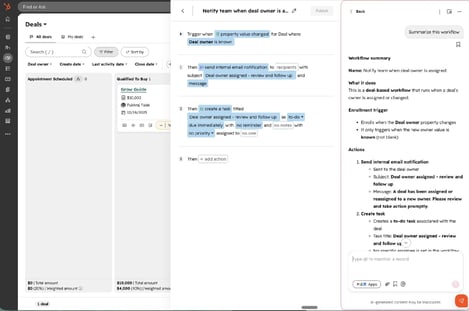
HubSpot’s latest product updates bring a broad mix of new capabilities, with several additions aimed at making everyday work more flexible and easier to manage.
AI continues to make its way deeper into the platform as well. HubSpot can now use historical conversion data to suggest high-impact events for lead scoring, while a new AI filing agent can help organize unfiled workflows. The HubSpot connector for Claude has also expanded, bringing more HubSpot data and functionality into Claude and the MCP ecosystem.
There are plenty of practical improvements outside of AI, too. You can now associate assets with multiple campaigns, tag collaborators on Instagram posts, unpublish forms when they're no longer needed, set expiration limits on payment links, and use records created earlier in a workflow in subsequent actions.
In this month's roundup, we’ve selected the updates worth knowing about and broken down what they do and where they can make a difference.
Associate assets to multiple campaigns
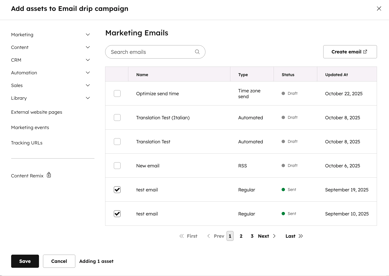
Marketing assets can now be associated with multiple campaigns simultaneously, eliminating the need to clone assets and helping preserve accurate attribution across every campaign they support.
- Associate emails, sequences, marketing events, tickets, calls, playbooks, and more with multiple campaigns.
- Asset performance metrics are reflected in every campaign the asset is associated with, providing a more complete view of campaign performance.
- When publishing, the most recently added campaign is used as the UTM source.

WhatsApp Comes to Marketing Studio
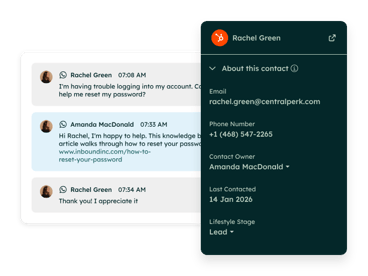
WhatsApp messages can now be connected to campaigns in Marketing Studio, making it easier to manage, edit, and monitor WhatsApp activity alongside your other campaign assets.
- Add WhatsApp messages directly to a campaign from the Marketing Studio canvas.
- Edit, personalize, and track WhatsApp assets alongside other campaign content.
- View WhatsApp performance from the asset itself or through the campaign's Analyze view.
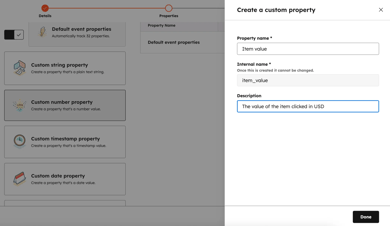
Use Custom Event Properties in Email Personalization
Custom event properties can now be used as personalization tokens in automated marketing emails and workflows, allowing you to bring behavioral event data directly into your email content.
- Insert custom event properties as personalization tokens in the email editor, just like contact or company properties.
- In workflows, the token automatically pulls data from the event that enrolled the contact.
- Set a fallback value for contacts who don't have a value for the selected event property.
Tag Collaborators on Instagram Posts
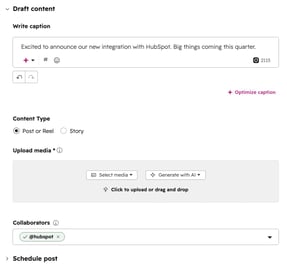
With HubSpot's Instagram publishing feature, you can now tag up to three collaborators who will receive an invite to co-author the post.
- In the composer, you can add collaborator handles; HubSpot validates each handle against Instagram in real time.
- Carousels, feed posts, and reels are all supported. Does not apply to Stories.
- Collaborators must have public Business or Creator accounts on Instagram.
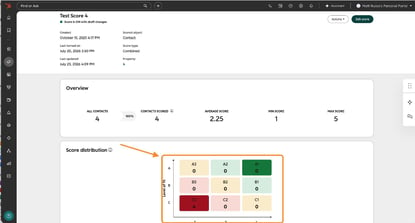
Discover and Score High-Impact Events with AI-Powered Insights
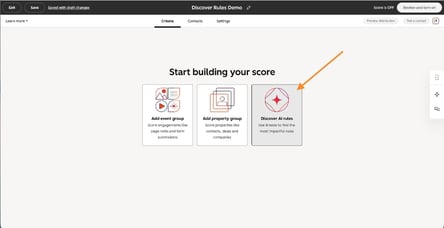
Your lead scoring now surfaces AI-powered insights based on your portal's historical conversion data, showing which engagement events have driven contacts to a goal stage.
- Browse conversion-backed criteria with rates, counts, and suggested point values by clicking 'Discover AI rules' in any score.
- One click adds the rules you want to your score.
- A list of supported events includes form submissions, page views, email opens, workflow enrollments, and call-to-action clicks.
Note: Includes the last 90 days of activity; conversions are counted up to 14 days prior to reaching the goal stage.
Improved Lead Score History
Lead score history now makes it easier to understand exactly why a contact's score changed, showing the activity or fit change that triggered the update along with a timestamp and a direct link to the relevant event.
- See what changed, when it changed, and which activity triggered the score update.
- Filter score history by the last 30 days, 90 days, or all time.
- Score changes resulting from decay rules are now also included in the history.

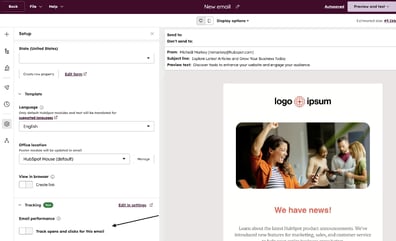
Control Open and Click Tracking Per Email
You can now override your account-level marketing email tracking settings for individual emails, giving you more control over how each email is tracked without changing your global defaults.
- Turn open and click tracking on or off for individual emails from the Setup panel in the email editor.
- A new Override Marketing Email Tracking Settings permission controls who can change these settings.
- The permission is turned off by default.

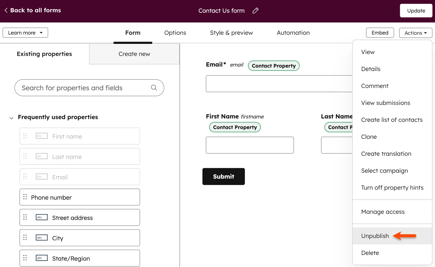
Unpublish a Form
Whenever a campaign ends, an event fills up, or an offer expires, you can unpublish a HubSpot form to prevent it from rendering.
- Using the Actions menu on the forms listing page, form editor, or form details page, you can unpublish a form.
- When a form is unpublished, it stops rendering immediately and displays a placeholder message wherever it has been embedded.
- Existing submission data and analytics are preserved when a form is unpublished.

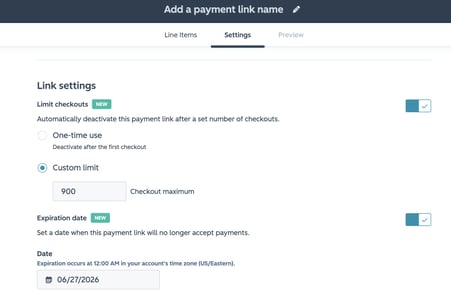
Set Expiration Dates on Payment Links
If an expiration date or checkout limit is reached, payment links will automatically deactivate, eliminating the need to manually turn off time-limited or quantity-capped links.
- You can add an expiration date/time or a maximum checkout count in the Settings tab of any payment link.
- It is possible to have both controls active at the same time; the link deactivates when either limit is reached.
- It prevents overselling and missed deadlines without relying on calendar reminders or workflow workarounds.
Revenue Hub Billing Portal
Revenue Hub now includes a self-service billing portal where buyers can view subscriptions and invoices, make payments, and update their payment methods—helping reduce the amount of billing support your team needs to provide.
- Set up the portal under Settings > Portal > Billing, then configure the display name, access groups, and subscription management permissions.
- Buyers can securely log in with their email address to view current, past, and future subscriptions and invoices.
- Choose whether buyers can view subscriptions only, request cancellations, or cancel subscriptions themselves.

Custom Ticket Automation Messages
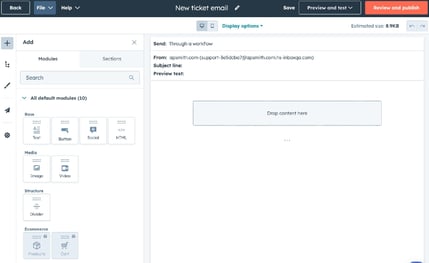
For ticket-based workflows, you can now customize HubSpot's default Ticket Received and Ticket Closed emails.
- Create customized messages for alternate ticket statuses, workflow branches, and multilingual scenarios.
- Send automation emails to any recipient, including non-marketing contacts and unsubscribed contacts.
- With the drag-and-drop editor, you can create messages directly from workflow email actions.

Improved Feedback Buttons in Live Chat
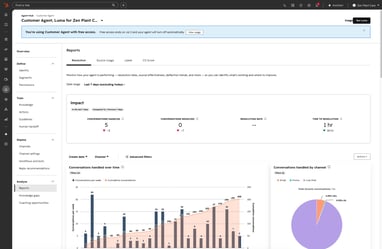
A feedback button now appears inline below each Customer Agent message rather than sending a message in the conversation thread, keeping the conversation clean and preventing unnecessary follow-ups.
- Clicking one of the thumbs up or thumbs down icons below a Customer Agent's response records feedback without sending a chat message.
- After submitting feedback, visitors can change or retract it.
- The 'Did I answer your question?' message no longer appears as a separate thread message.

Rotate Records by Skill in Workflows
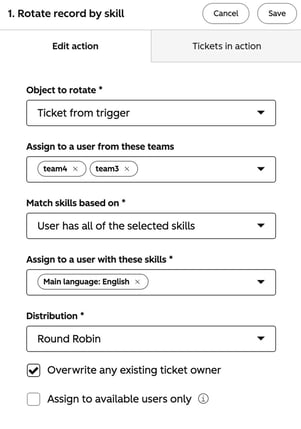
The Rotate record by skill action is now available in workflows, bringing the skill-based routing capabilities used in Help Desk into ticket-based workflows.
- Add the action to any ticket-based workflow and configure the team, required skills, skill-matching method, and availability settings.
- Choose whether users must match all selected skills or just one.
- Limit assignments to available users or distribute records using round-robin, load-balanced, or random assignment.

HubSpot Connector for Claude Updates
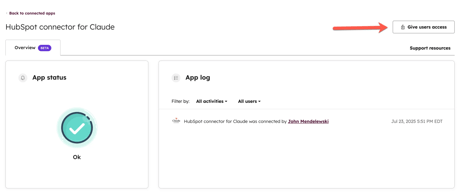
Leads, landing pages, campaigns, marketing email analytics, conversations data, and conditional property rules are now supported by the HubSpot connector for Claude and MCP server.
- The new capabilities include lead access, landing page creation and analytics, campaign management, and marketing email creation and scheduling.
- Data from conversations (live chat, team emails, WhatsApp, SMS, Facebook Messenger) is now available as read-only access.
- Claude Enterprise admins can restrict connector access to verified domains.
Auto-Delete Unused Pages via Account Cleanup
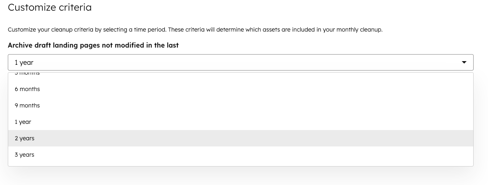
As of now, Account Cleanup automatically deletes unused website and landing page drafts rather than archiving them, removing the extra step of clearing archived content after each cleanup.
- Automate the deletion of low-value drafts from the website and landing pages.
- To confirm what will be deleted, preview flagged pages before deletion.
- If necessary, restore deleted content from the Recycle Bin within 90 days.
Use Workflow-Created Records in Later Actions
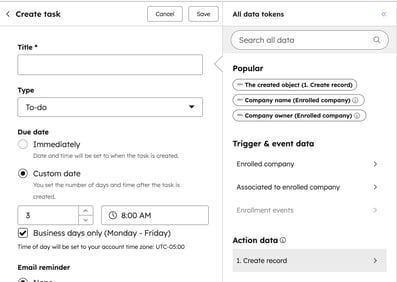
In subsequent actions within the same workflow, you can now refer to the new record and its properties, eliminating the need to create a separate workflow.
- In the same workflow, select a record created by the workflow as the target of later actions.
- To populate tasks, notifications, and more, use the data panel to pull property values from the created record.
- Creates records using the 'Create Record' and 'Create Task' actions.
AI Filing Agent for Workflow Organization
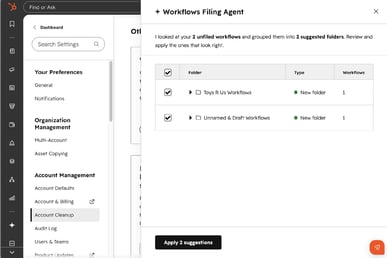
With Account Cleanup, an AI-powered filing agent analyzes unfiled workflows and suggests folder groupings, letting admins organize workflows with a few clicks instead of manually reorganizing them.
- The agent is triggered by Account Cleanup settings; it reads workflow names and descriptions to suggest folder groupings.
- The table shows each workflow, its suggested folder, and whether the folder already exists or will be created.
- Individual suggestions can be accepted or rejected before applying; workflows that have not yet been filed can be triggered again at any time.

Embedded Automation for Starter Customers
From the Contacts, Companies, and Deals CRM index pages, starter customers can now access, create, and manage automations.
- To open the contextual launcher, click the automation icon at the top right of any supported index page.
- You can choose from tailored automation recommendations for your portal, or browse templates or build from scratch.
- Visibility and access are controlled by workflow permissions in Settings > Users and Teams.