


Every business already has its customer data — it's just usually scattered across inboxes, spreadsheets, and someone's memory. A CRM database is one organized place that stores every contact, company, deal, and interaction, so your whole team works from the same record instead of their own private copy. That's the entire value: not the software itself, but the fact that everyone is finally looking at the same truth. Here's the practitioner's read on what a CRM database actually is, how it's built, and where it earns its keep.
What is a CRM database?
It's a structured store of your customer and prospect information — contacts, companies, deals, and the history of every interaction — connected so the records relate to each other. A CRM (customer relationship management) system is the application; the database is the organized data underneath it. The key word is structured. Instead of a name buried in an email thread, you get a contact record with their company, role, deal stage, last conversation, and open tasks — all linked. A spreadsheet can hold names. A CRM database holds relationships: this person works at this company, which has these three open deals and these two support tickets.
How is a CRM database structured?
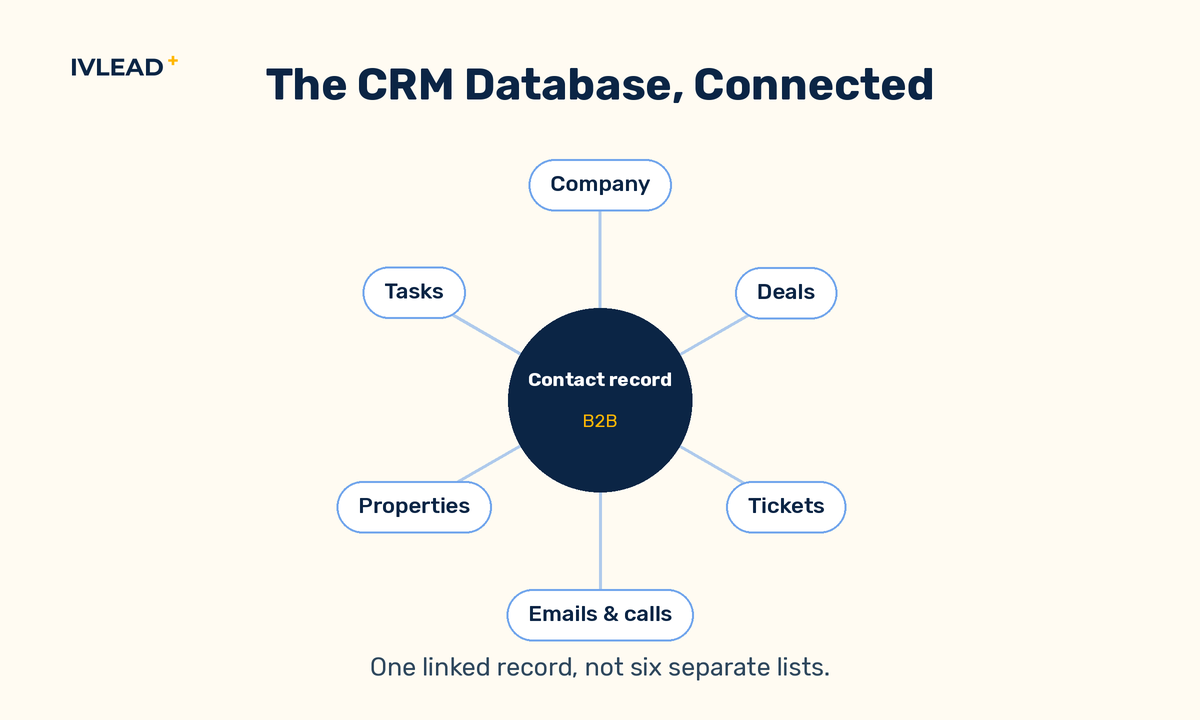
Around three building blocks: objects, properties, and associations. Objects are the record types — most B2B CRMs ship with four: contacts (individual people), companies (the organizations they belong to), deals (revenue opportunities in progress), and tickets (support or service issues). Properties are the fields on each record — a contact has an email, a job title, a lifecycle stage; a deal has an amount, a close date, a stage. Associations are the links between records, and they are what makes a CRM a database rather than four separate lists: a contact is associated with their company, a deal is associated with the contacts and company it involves, and every email, call, and meeting attaches to the right records automatically. Get those three right and the data starts answering questions on its own.
What does a CRM database actually store?
The four core objects and the connections between them. The power isn't in any one record — it's in the associations. Worked example: a salesperson opens one company record and sees every person they've ever spoken to there, every deal won or lost, every open ticket, and the last email anyone on the team sent — without asking a colleague or digging through a sent folder. That single linked view is the difference between data you store and data you can actually use.
How does a CRM database help a B2B business?
It removes the friction of finding, sharing, and acting on customer information — which is where most deals quietly stall. For sales, it means no dropped follow-ups, no "who's talked to this account?", and a pipeline you can actually see. For marketing, it means you can segment by real attributes — industry, deal stage, last activity — and measure which efforts produce revenue, not just clicks. For service, every ticket sits next to the deal and the relationship behind it. And because every team shares one database, a lead's full history travels with them from first touch to closed deal and beyond. Worked example: marketing hands sales a lead, and the rep sees every page that lead viewed, every email they opened, and which campaign brought them in — so the first call starts with context instead of a cold introduction.
What can you build on top of a clean CRM database?
Segmentation, reporting, and automation — the three things that turn a record store into an operating system. Because the data is structured and linked, you can build lists by any combination of properties (every SaaS company with an open deal over a set amount and no activity in 30 days), report on what's actually happening (pipeline by stage, source, or owner), and trigger automation off real events (a deal moves stage, a rep gets a task; a form is filled, the lead routes to the right owner). None of this works on a spreadsheet, and none of it works on a messy CRM. The cleaner and more consistent the underlying data, the more you can safely automate on top of it.
What makes a CRM database actually useful?
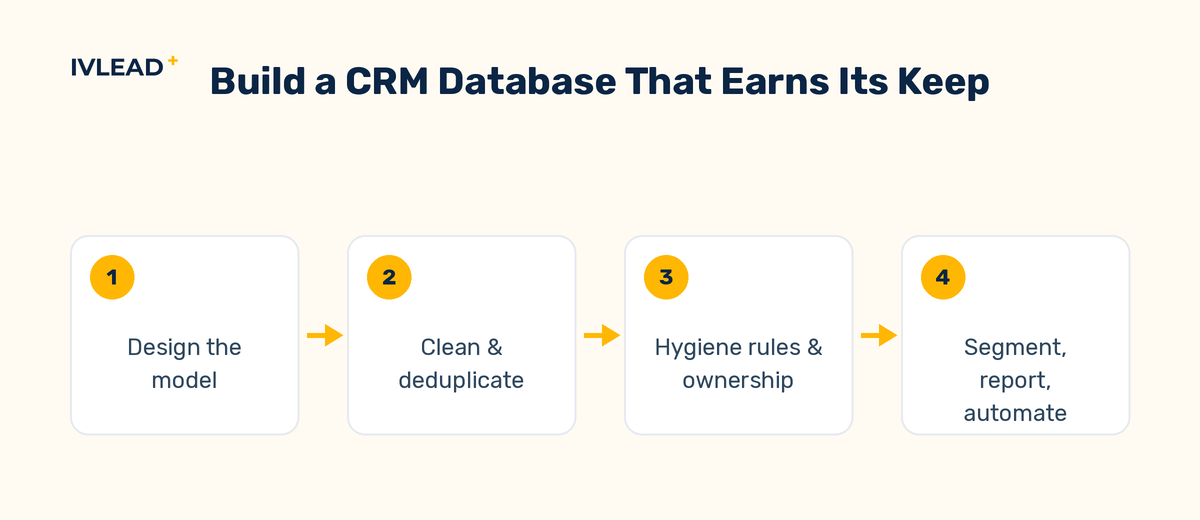
Clean, consistent data and a model that matches how your business really works — not the software brand on the box. The most common reason a CRM disappoints isn't the tool; it's that nobody agreed on how to use it. Duplicate contacts, half-filled fields, deal stages that mean different things to different reps, and properties no one maintains turn a CRM database into the same mess it was meant to replace. A useful database has a defined structure (which objects and fields matter, and who fills them), hygiene rules that keep it clean, and enough adoption that the data is actually current. This is exactly the order we follow with clients: design the model, clean the data, then build the automations on top — never the other way around.
The IV-Lead take
A CRM database is only as valuable as the data inside it. The teams that get real leverage from one aren't the ones with the most features turned on — they're the ones whose records are clean, whose deal stages mean the same thing to everyone, and whose team trusts the data enough to work from it daily. The software is the easy part. The structure and the discipline are the work, and they're where the return actually comes from.
Wondering whether your CRM database is helping or quietly working against you? Book a 30-minute portal audit — we'll tell you straight whether your data model, hygiene, and adoption are set up to deliver. For the bigger picture, see how we approach HubSpot implementation and optimization and the way we design a clean operating model in RevOps.
Frequently asked questions
Is a CRM database the same as a CRM?
Not quite. The CRM is the software your team uses; the database is the structured data it stores and connects through objects, properties, and associations. In everyday conversation people use the terms interchangeably, but the database is the part that determines whether the CRM is useful.
What are objects, properties, and associations?
Objects are the record types (contacts, companies, deals, tickets). Properties are the fields on each record (email, deal amount, stage). Associations are the links between records — a contact to their company, a deal to its contacts. Together they're what makes a CRM a connected database rather than four separate lists.
Can't a spreadsheet do the same job?
A spreadsheet can list contacts, but it can't link a person to their company, deals, and full interaction history, or keep that current across a whole team — and it can't drive segmentation, reporting, or automation. Once more than one person needs the data, a spreadsheet becomes the bottleneck.
What's the most important thing in a CRM database?
Clean, consistent, current data on a model that matches how you actually sell. The fanciest features are useless on top of duplicates and empty fields, so the structure and the hygiene rules matter far more than the feature list.


