For years, "automating HubSpot" meant workflows: a contact does X, the system does Y — powerful, but bounded. Workflows can't reason, investigate, or decide. The Agent CLI changes the shape of that: it lets an AI agent operate your HubSpot portal directly — reading, analyzing, and acting across objects the way a skilled ops person would, but in seconds and on a schedule. We've been running agent-driven HubSpot internally, so this isn't a preview for us; it's how the work already gets done. Here's the practitioner's read: what it actually is, where it earns its keep, and the first three things we'd point it at.
So what exactly is the Agent CLI?
It's a command-line interface that lets an AI agent — running in a tool like Claude or Codex, on its own infrastructure — securely read and act on your HubSpot portal, instead of you clicking through screens. It's the third leg of HubSpot's agent stack: in-app agents (Breeze) handle work inside the product, the MCP server and public APIs let tools reach in for live requests, and the Agent CLI is built for agents that live outside HubSpot and run repetitive, bulk, scheduled, cross-system jobs without a human in the loop. It runs on the same authenticated foundation as those public APIs.
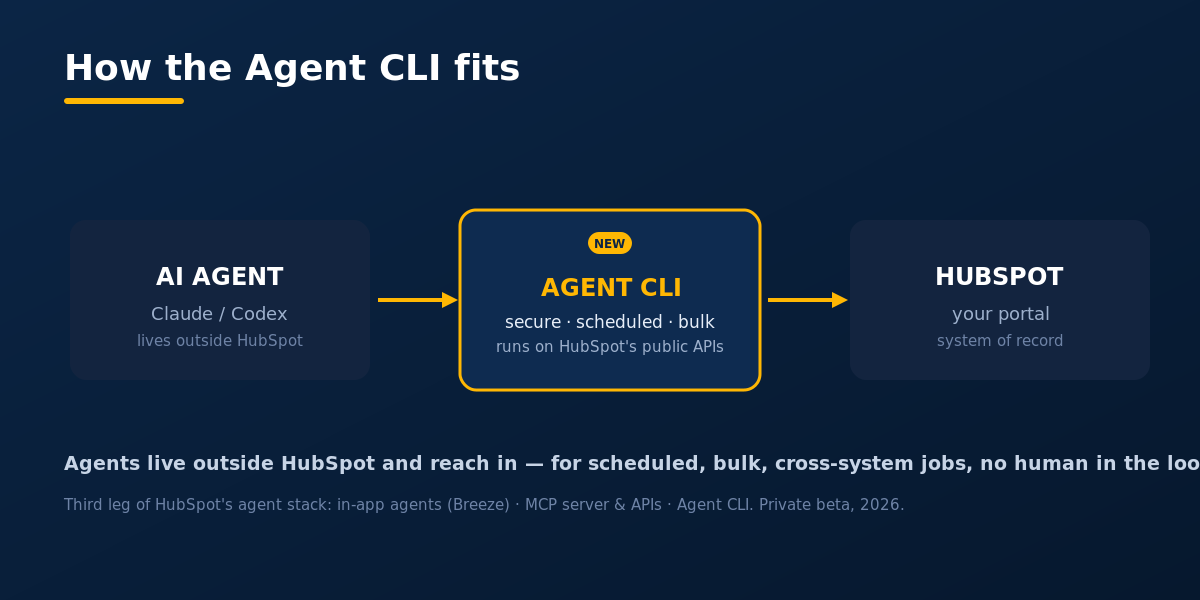
The mental shift is the point. Where a workflow follows a fixed if-this-then-that path, you tell an agent the outcome you want — "find deals that look stuck and tell me why" — and it works out the steps. Worked example: instead of building five reports to spot pipeline risk, you ask the agent each Monday to scan every open deal, flag the ones with no activity in 14 days, and post a short summary with the likely reason for each. Same data — but the analysis comes to you.
How much does it actually help an ops team?
A lot — because it automates the investigation and hygiene work that quietly eats an ops team's week. Most revenue teams don't have a data problem; they have an attention problem. The signals already live in HubSpot, but reviewing records, catching anomalies, checking workflows, and flagging data-quality issues rarely reach the top of the list. The CLI runs those checks continuously, surfaces what matters, and handles routine tasks without added headcount — freeing RevOps to focus on process, forecasting, and strategy.
The caveat is real: an agent is only as good as the environment it runs in. Point it at bad data or broken processes and it scales mistakes as fast as it scales output.
What are the first three jobs we'd automate?
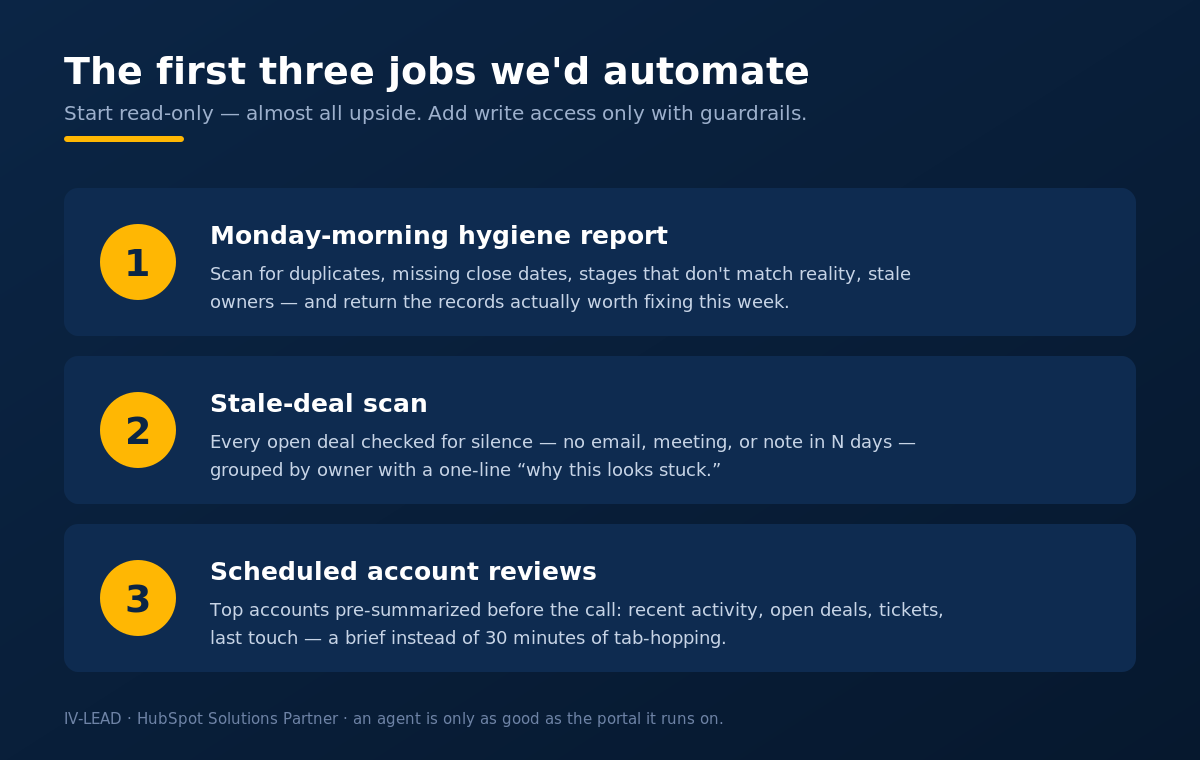
Start with read-and-report jobs — they're almost all upside. These are the three we'd point it at first:
- The Monday-morning hygiene report. Each week the agent scans for the rot that quietly breaks reporting — duplicate contacts, deals missing a close date, stages that don't match reality, owners on inactive records — and delivers a prioritized list. Worked example: a 6,000-contact portal where the agent surfaces the 40 records actually worth fixing this week, instead of a 6,000-row export nobody opens.
- The stale-deal scan. Every open deal checked for silence — no email, no meeting, no note in N days — grouped by owner with a one-line "here's why this looks stuck," so the pipeline review starts from insight, not a blank stare.
- Account reviews on a schedule. For your top accounts, the agent assembles the context a human would spend 30 minutes gathering — recent activity, open deals, support tickets, last touch — into a brief before the call. Worked example: a CSM walks into a QBR with the account already summarized, instead of tab-hopping for half an hour.
What do you need in place before you switch it on?
An agent is only as good as the portal it runs on — get three things right first:
- A clean data model — consistent properties, disciplined deal stages, real lifecycle definitions.
- Clear permissions and guardrails — what the agent may read versus change, with irreversible actions left to humans.
- A tight scope — start with read-and-report jobs (like the three above) before you let anything write.
This is exactly the order we follow with clients: fix the foundation, automate the analysis, keep a person on the deploy switch. An agent that only ever reports is almost all upside; the moment it can act, it needs the same review discipline you'd give a new hire.
The IV-Lead take
The Agent CLI is the most interesting shift in HubSpot operations in years — not because it replaces workflows, but because it adds judgment to automation. The teams that win with it won't be the ones who turn on the most agents; they'll be the ones whose portals are clean enough to trust an agent with, and disciplined enough to keep humans on the decisions that matter. That's the work we do every day.
Book a 30-minute portal audit → we'll tell you straight whether your HubSpot is clean enough to put an agent to work.
Frequently asked questions
What is the HubSpot Agent CLI, in one sentence?
A command-line interface that lets an AI agent — running in a tool like Claude or Codex — securely read and act on your HubSpot portal, so routine ops work happens in seconds instead of clicks.
How is it different from a HubSpot workflow?
A workflow follows a fixed if-this-then-that path you build in advance. An agent is told the outcome you want and figures out the steps — it can investigate, reason, and summarize, which a workflow can't.
Is it safe to let an AI agent act inside our CRM?
It's as safe as the guardrails you set. We start read-only — the agent reports, humans decide — and only grant write access to tightly scoped jobs, with irreversible actions always left to a person.
Do I need to be a developer to use it?
No. Someone technical sets up the connection and guardrails once; after that you brief the agent in plain language and it works out the steps.
Is the Agent CLI generally available yet?
As of mid-2026 it's in private beta with a public waitlist, so check HubSpot's release notes for what's live in your account. We're already running agent-driven HubSpot in client portals day to day.