


The HubSpot Pro suite gives you marketing, sales, service, and CMS tools in one place. That's the appeal, and it's also exactly why onboarding decides whether you get value or just a bigger bill. A good onboarding is not a tour of features. It's a sequence: set the foundation first, connect your data, then turn on tools in the order your team will actually use them. Here's the practitioner's read on what to expect, and how to make the first 90 days count.
What is HubSpot Pro suite onboarding, really?
HubSpot Pro suite onboarding is the structured setup of your CRM foundation, data, and tools so the platform fits how your revenue team works, not a walkthrough of every feature. The Pro suite spans Marketing, Sales, Service, Content, and Operations Hub. Onboarding's job is to get those moving as one system, in sequence, with your people adopting each piece before the next turns on. Done right, it ends with a team that lives inside HubSpot by default. Done wrong, it ends with an expensive tool nobody trusts and reports nobody believes.
What does the foundation phase actually cover?
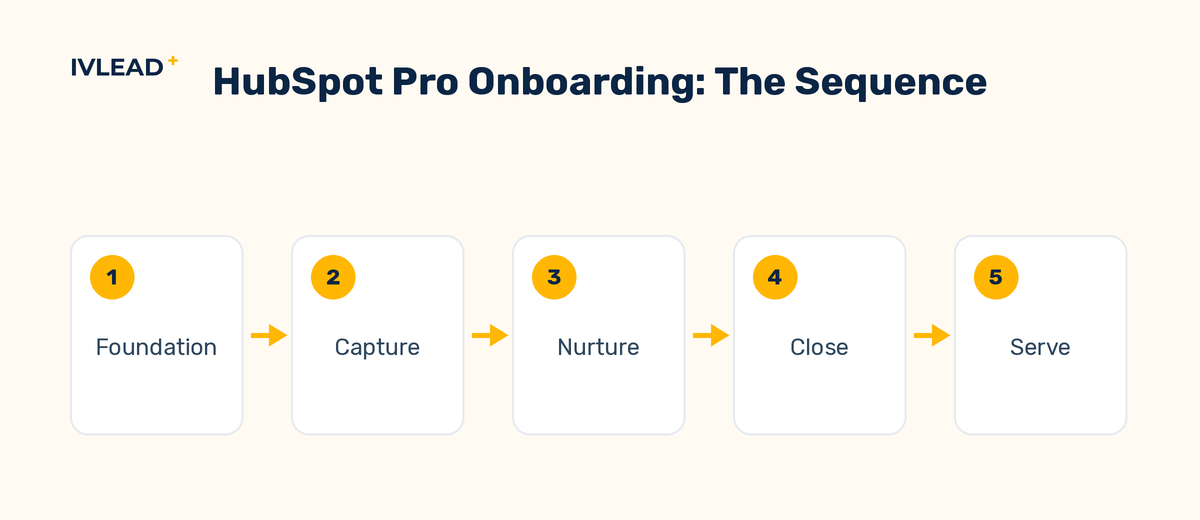
Before any tool turns on, onboarding should lock your data model, your users and permissions, and your tracking, because everything you build later sits on top of these. The foundation is the unglamorous part teams want to skip and later regret skipping. It means defining your objects and properties so reporting works, setting up users with the right permissions and seats, connecting your domain and email so sends are trusted, and installing tracking so you can attribute results. Worked example: a team that rushed past property setup spent two quarters with broken pipeline reports, because deal stages and lifecycle stages were never agreed on, so every report told a slightly different story. The foundation phase exists to prevent exactly that.
In what order should the tools be turned on?
Turn on tools in the order your revenue actually flows: capture, then nurture, then close, then serve. A common mistake is enabling everything at once, which overwhelms the team and means nothing gets used well. A saner sequence starts with capture — forms, tracking, and lead routing — so new contacts land cleanly. Then nurture — email and basic automation — so leads get followed up. Then the sales tools — pipelines, deal stages, sequences, and meeting links — so reps work in HubSpot instead of around it. Then service — tickets and a help inbox — once the front of the funnel is steady. Each phase has a small number of things to learn, which is how adoption actually happens: one working habit at a time.
What does the team need to learn versus what gets configured for them?
Configuration is one-time and best done by someone who knows HubSpot; training is ongoing and best aimed at the daily habits each role repeats. Split the work clearly. The setup — properties, automation, integrations, reporting — should be configured once, correctly, by an implementer, because a wrong choice here is expensive to unwind. The training should be role-specific and habit-focused: a rep needs to log activity, work a sequence, and update a deal; a marketer needs to build an email and read a campaign report; a manager needs to trust a dashboard. Worked example: instead of a single four-hour demo nobody remembers, the strongest onboardings run short role sessions tied to the exact screens each person will live in, which is what makes the tool stick after the consultant leaves. This is also why ongoing training and maintenance matters more than a one-off kickoff — adoption is a habit, not an event.
HubSpot's own onboarding or a partner: which should you choose?
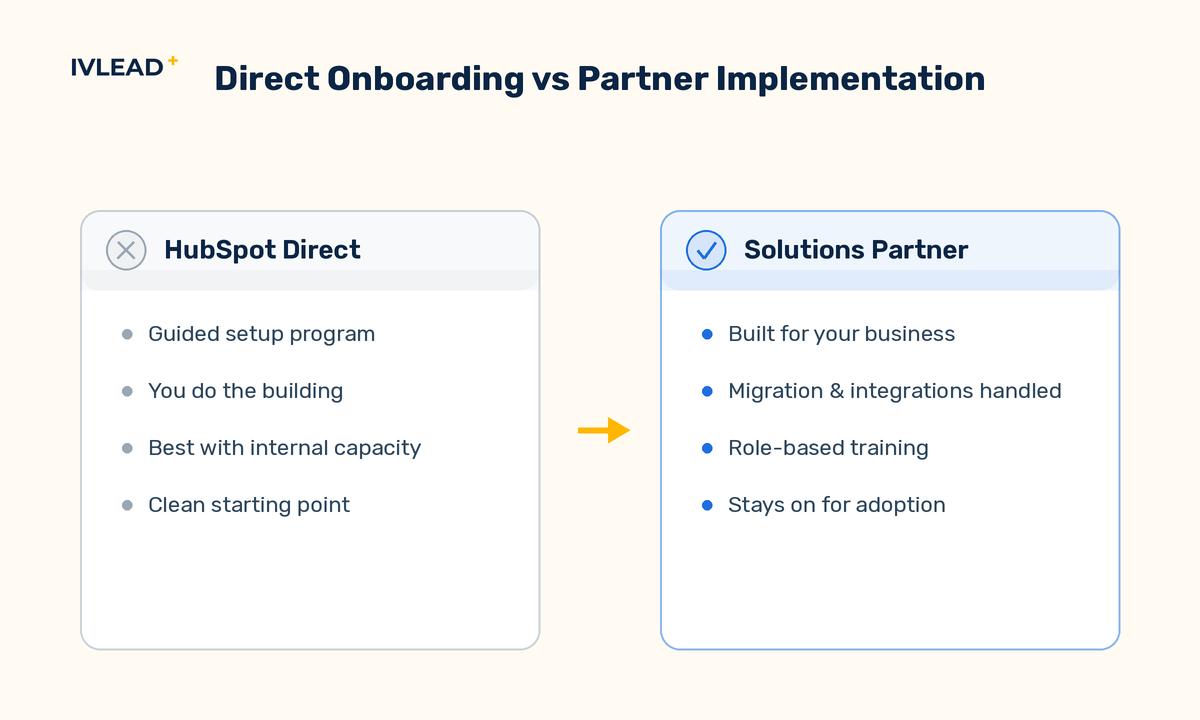
HubSpot's guided onboarding teaches you to use the tools; a Solutions Partner configures the system for your business and trains your team on the habits specific to your roles. Both are valid, and they answer different questions. HubSpot's direct onboarding is a paid, structured program where a specialist guides you through setup and best practices — strong if your team has the time and people to do the building. A partner runs a tailored implementation: they do the configuration with you, map your data model and automation to how you actually sell, handle the messy migration and integration work, and stay on for adoption. The honest rule of thumb: if you have internal capacity and a clean starting point, direct onboarding can be enough. If your data is messy, your processes are non-standard, or you want the build done for you, a partner is the faster path to value.
What's a realistic onboarding timeline?
Plan for a phased rollout over roughly 60 to 90 days, not a single switch-on, with the foundation in the first weeks and tools coming online as the team adopts each one. The exact length depends on your data, your team size, and how many Hubs you're standing up at once. A lean, single-Hub setup with clean data can move quickly. A full Pro suite with data migration from a legacy CRM, multiple integrations, and several teams to train takes longer and benefits from being staged. The mistake is treating the contract start date as a go-live date. Onboarding is a sequence, and rushing the foundation to hit an arbitrary date is the single most common regret we hear.
How do you know onboarding actually worked?
Onboarding succeeded when the team works inside HubSpot by default and the leadership reports are trusted — not when every feature is switched on. The honest measure of onboarding is adoption and trust, not feature count. Ask three questions at day 90: are reps logging activity and updating deals without being chased; do the dashboards match what leadership believes is true; and is new lead data landing clean and routed. If yes, onboarding worked even if half the Pro features are still off — you'll grow into them. If no, adding more tools makes it worse. This is exactly the order we follow: build the foundation, sequence the rollout, train on habits, then measure adoption before expanding.
The IV-Lead take
The Pro suite is not the value — the way you implement it is. Teams that treat onboarding as a feature checklist end up with an expensive tool nobody trusts. Teams that treat it as a sequence — foundation, capture, nurture, close, serve — end up with a system the whole company runs on. The first 90 days are cheap insurance on a multi-year investment, and the most common regret we hear is having rushed them.
Onboarding onto HubSpot Pro and want it done in the right order? Book a 30-minute portal audit and we'll map your first 90 days. For the full picture, see how we run HubSpot implementation and optimization.
Frequently asked questions
How long does HubSpot Pro onboarding take?
It depends on your data and team size, but plan for a phased rollout over roughly 60 to 90 days rather than a single switch-on. The foundation comes first, then tools turn on in sequence as the team adopts each one.
Do I have to use HubSpot's onboarding, or can a partner do it?
Either works. HubSpot offers paid guided onboarding that teaches your team to use the tools, and a Solutions Partner can run a tailored implementation that configures the foundation for your business and trains your team on the daily habits specific to your roles.
What is the most common onboarding mistake?
Turning on every tool at once. It overwhelms the team and nothing gets adopted. Sequencing the rollout — capture, then nurture, then close, then serve — is what makes the tools stick.
How do I measure whether onboarding worked?
Look at adoption and trust at day 90: are reps working in HubSpot by default, do leadership's dashboards match reality, and is new lead data clean and routed. Feature count is a poor measure of success.


