
Email signatures your whole team will actually use
A free email signature generator for Gmail and HubSpot - in English and Hebrew, with real right-to-left support. No account, no sign-up, nothing stored. Built by IV-Lead, a HubSpot Solutions Partner.
- No account
- Nothing stored
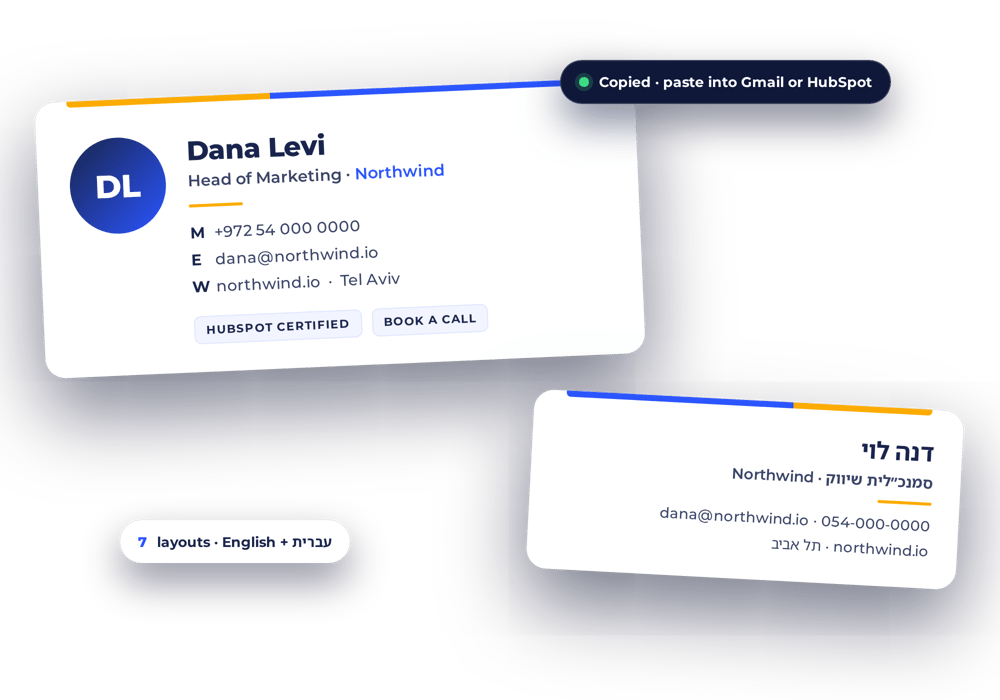
- Seven layouts, previewed live
Built in a doc, broken in the inbox
The signature is the most-sent piece of marketing a company has. Three things go wrong with it again and again.
Pasted from Word, mangled by Gmail
Signatures built in a document or a design tool arrive as stretched images and stray line breaks. Email clients want table-based HTML with inline styles - nothing else survives.
Hebrew that flips
Drop a phone number, a URL or an English product name into Hebrew text and it reverses - unless the direction is handled deliberately, character by character.
Ten people, ten signatures
Without one standard everyone improvises: different logos, colours and job titles landing in the same customer's inbox from the same company.
Everything the inbox needs, nothing it doesn't
Seven layouts, previewed live
Pick by looking - each one renders with your own details before you choose.
Email-safe by construction
Table-based HTML with inline styles, so it survives the inbox instead of only looking right in a preview.
English and Hebrew
Hebrew signatures get proper right-to-left handling, so a phone number or URL inside Hebrew text stays readable rather than reversing.
Your brand
Two colours, credential badges, optional photo, logo and a campaign banner - added as links to images you already host.
Gmail and HubSpot
Copy the result straight into Gmail's signature settings or your HubSpot user signature. Same HTML, both places.
Free, permanently
Nothing to install, no account, and the details you type never leave your browser.
Three steps, a few minutes
Fill in your details
Name, title, phone, links - plus a photo, logo or credential badges if you want them.
Pick a layout
All seven render live with your details. Choose the one that fits, in English or Hebrew.
Copy it into Gmail or HubSpot
Paste the ready HTML into your signature settings. Send one test email to yourself - done.
One brand standard, every teammate
Rolling it out to a team? Connect the free HubSpot app. An admin sets one brand kit - colours, logo, badges - and every teammate builds their own on-brand signature from it. You see who has installed theirs and who still hasn't.
- One read-only HubSpot permission: your user list. No contacts, companies or deals.
- Stores your brand kit and each person's install status - never anyone's signature content.
- Nobody's signature is changed for them. Each person installs their own, from a secure link.
The IV-Lead take: a signature is sent more often than any campaign you will run this year. It should be built once, properly, and look the same in every inbox.
Build your signature now
No account. Nothing stored. Free, permanently.