Most marketing teams we work with at IV-Lead started using AI tools sometime in the last two years. The tools are fast. The trouble is everything around them: pasting the brand guide in again, re-explaining who you sell to, and fixing the product claim the tool made up. A draft that took thirty seconds to generate then takes an hour to make sendable.
HubSpot's view, and the theme of its Q4 2026 campaign, is that the model isn't the problem. Context is. A general AI tool knows a lot about the internet. It doesn't know your customers, your open deals, or which campaign actually produced last quarter's pipeline.
Below is our read on what HubSpot has built to close that gap, Marketing Studio and the agents inside it. We also cover the part no software does for you: making sure your HubSpot portal holds the context those agents are supposed to work from.
Why does AI keep producing generic marketing content?
Because most AI tools start every session knowing nothing about your business. They can write a decent email, but they don't know that the account they're writing to churned last year, or that your best customers come from two specific industries. In a recent HubSpot post, Duncan Lennox calls the daily cost of this the "briefing tax": the time your team spends re-explaining brand voice, account history and positioning before every task, and again the next day.
Marketing teams feel it more than most, because their context is usually spread across several tools. Email runs in one platform, social in a scheduler, paid ads in their own managers, and the reasoning behind last year's best campaign lives in someone's head. Each tool sees one slice. So the AI writes from a slice, and when your CMO asks what drove pipeline last quarter, nobody has a single report to point to.
The practical takeaway: a better model won't fix this on its own. AI output gets more useful when it can read the same customer records, campaign history and brand rules your team uses.
What is HubSpot's Agentic Customer Platform?
It's HubSpot's name for its platform rebuilt around one idea: keep customer data and business context in one place, then let both your team and AI agents work from it. CEO Yamini Rangan introduced it earlier this year and described three layers.
- Context layer. The Smart CRM, holding structured records (contacts, companies, deals, tickets) alongside emails, call transcripts and chats, plus your brand, products and how your team works.
- Action layer. The Marketing, Sales and Service hubs, Breeze agents that do specific jobs, and Breeze Assistant for everyday questions and CRM updates.
- Coordination layer. Controls over what agents do on their own and what stays with people, connections to the rest of your stack, and one set of permissions and audit trail.
For a marketing team, the context layer is the part that matters most. An agent that can see a contact's company, deal stage and engagement history can write a follow-up that fits. An agent that only sees an email address can't.
What does HubSpot Marketing Studio actually do?
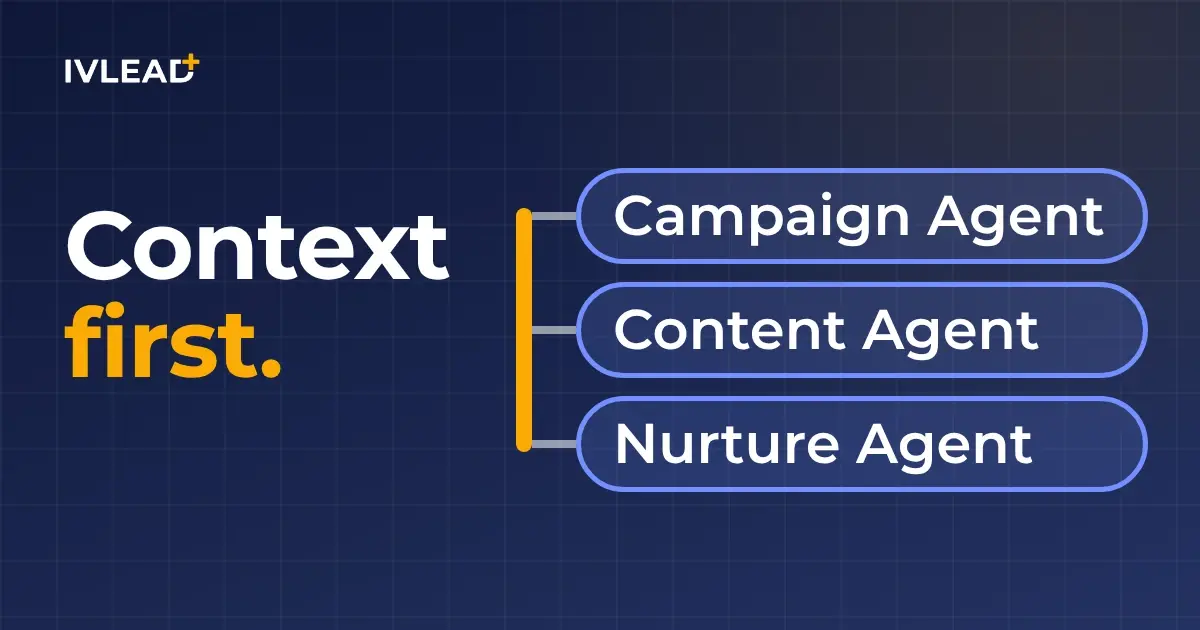
Marketing Studio is the workspace where you plan, build, run and measure a campaign in HubSpot, with email, social, paid and web activity in one view instead of five tools. HubSpot's line for the campaign is "every campaign from start to stats", and the idea is that you set the strategy while the agents handle much of the execution.
Three agents do most of that work. The right-hand column is our addition, because each agent is only as good as what it can read.
| Agent | What it does | What it needs from your portal |
|---|---|---|
| Campaign Agent | Turns a campaign goal into a multi-channel plan, then helps run and measure it inside Marketing Studio | Defined audiences and lists, clear goals, and past campaigns organised in HubSpot so it has history to work from |
| Content Agent | Turns recommendations into ready-to-publish content, including blog posts, LinkedIn and social posts | Your brand voice and product information set up in HubSpot, so drafts sound like you and describe what you actually sell |
| Nurture Agent | Personalises nurture emails using CRM data, ideal customer profile information and engagement history | Accurate contact and company properties, consistent lifecycle stages, and engagement data that isn't polluted by duplicates |
All three sit in Agent Hub, where you manage HubSpot's own agents alongside custom ones you build with Agent Builder or connect from third parties.
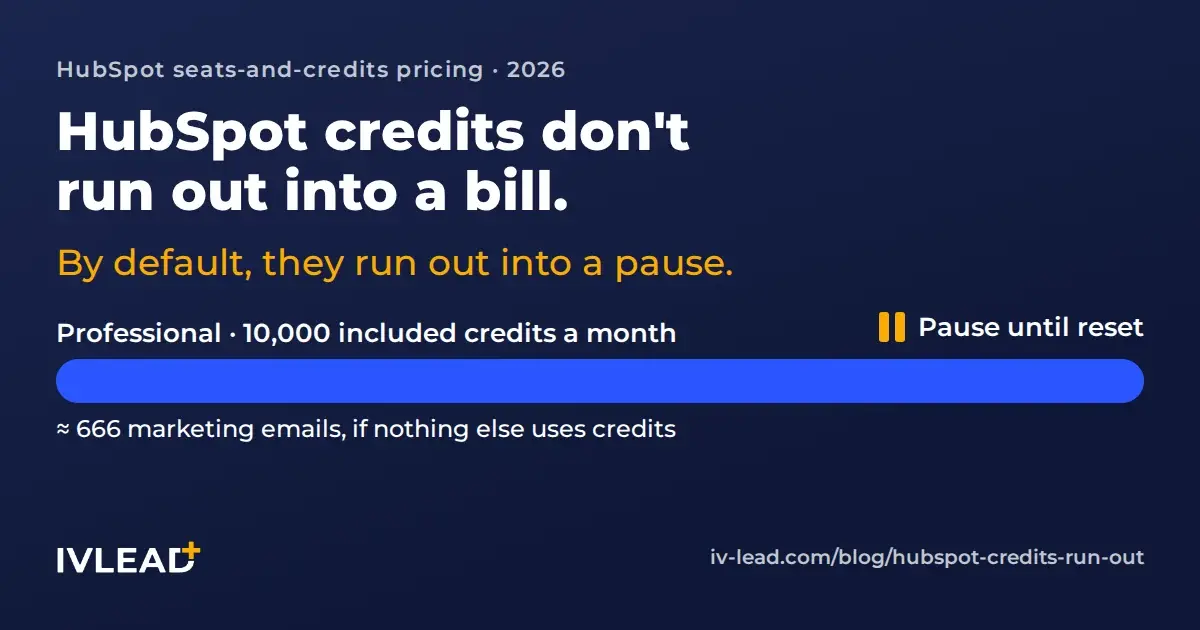
Our take: some of these agents are still in beta, and access depends on your Marketing Hub tier and HubSpot credits. Check what's switched on in your own portal before you plan a quarter around them.
What are HubSpot customers seeing so far?
Early feedback HubSpot has shared points the same way: the agents get more useful as they draw on more of the customer's own data.
Neal Williams, Marketing Manager at Qwikkit, reported a clear rise in organic and paid traffic after publishing content made with Content Agent, and credits it with making the content easier to find in both search and AI chat answers. Nina Sanchez, Creative Director at American City Business Journals, says Campaign Agent builds on campaigns the team already ran, so each new one starts from what worked before instead of a blank page.
On the email side, Lexi Kelsey, Senior Director of Growth Marketing at NTT DATA Business Solutions, found Nurture Agent's personalisation relevant because it pulls from real contact and company data. Courtney Casey, Director of Marketing Operations at VC3, says Marketing Studio and Campaign Agent flagged list problems and messaging gaps in campaigns that were already running.
That last example is the one we'd point a marketing ops lead to. Before an agent creates anything new, it can show you what's broken in the campaigns you already run.
What does your HubSpot portal need before the agents can help?
HubSpot supplies the platform. The context inside it is yours, and it's only as good as the way your portal was set up. An agent reads whatever is in your CRM. If lifecycle stages mean one thing to marketing and another to sales, Nurture Agent personalises against the wrong stage. If half your contacts aren't associated with a company, it can't tailor anything by industry or account.
Most of what we fix in client portals is unglamorous, and it's exactly what these agents depend on:
- Records that connect. Contacts associated with their companies and deals, duplicates merged, and key properties filled in consistently.
- Shared definitions. Lifecycle stages and lead status that marketing and sales agree on, written down and enforced in workflows.
- Brand and product context. Your brand voice, product details and positioning set up in HubSpot, so Content Agent isn't guessing.
- Campaigns that are tracked. Assets attached to campaigns and UTM conventions people actually follow, so reporting in Marketing Studio has something to count.
- Integrations that write back. If orders live in Priority, WooCommerce or another system, that data should land on the same HubSpot records the agents read.
- Clear guardrails. Who can publish agent output, who reviews it first, and limits on credit spend.
Our take: treat the first few weeks with agents as a data project as much as an AI project. Teams that clean up first get usable drafts sooner, because the agents spend less time working from wrong or missing information.
Where should a marketing team start with Marketing Studio?
Start with one campaign you were already planning for this quarter. A real campaign gives you a deadline and a result to compare against.
- Pick the campaign. Something with a clear goal and audience, such as a webinar, a product launch or a re-engagement push.
- Check the context it depends on. Look at the list you'll target, the lifecycle stages involved, and whether your brand voice is set up. Fix the obvious gaps first.
- Build it in Marketing Studio. Let Campaign Agent draft the plan and Content Agent draft the assets, then have a person edit before anything goes out.
- Add one agent to an automated flow. Try Nurture Agent on a single nurture email before you roll it across every workflow, and compare engagement with the version you had.
- Read the results in one place. Use Marketing Studio's reporting to see which channels and assets moved contacts forward, and carry that into the next campaign.
One campaign done this way tells you more about where your portal stands than any amount of testing in a sandbox.
Frequently asked questions about HubSpot Marketing Studio
Do I need to replace my other marketing tools to use Marketing Studio?
No. Marketing Studio works best when more of your channels run through HubSpot, but you can start with what's already there and move channels in over time. The more activity it can see, the better its reporting and agent suggestions get.
Is Marketing Studio included in every HubSpot plan?
Availability of Marketing Studio and its agents depends on your Marketing Hub tier, and some agents are in beta and use HubSpot credits. Check the AI settings in your portal, or ask us to check for you.
Will HubSpot's AI agents replace our marketing team?
That isn't how HubSpot positions them, and it isn't what we see in practice. Your team sets the strategy and reviews the output. The agents take on the planning drafts, first versions of content and personalisation that used to eat the week.
How do I know whether my portal is ready for AI agents?
Look at three things: whether contacts are associated with companies and deals, whether lifecycle stages are defined and used consistently, and whether campaigns are tracked in HubSpot. If any of the three is shaky, fix it before turning agents on.
Not sure your portal is ready for HubSpot's agents?
That's usually the real question: which agent to turn on matters less than whether your HubSpot holds enough context for it to do good work. In a free 30-minute AI context audit, we'll look at your portal with you, map where your AI tools are missing business context, and tell you straight what to fix first. No deck. No pitch.