Every month HubSpot ships a stack of updates, and every month the real question isn't "what's new" - it's "what's actually worth your team's attention."
We run these features in client portals daily, so we read each release through one filter: does it clean up a handoff, close a data gap, or save a rep real clicks? June 2026 scores well on that test. Breeze keeps moving into the places where work actually happens - your inbox, your phone, your mid-meeting prep - while a few quieter releases (content across multiple campaigns, manual payment records, WhatsApp coexistence) remove friction that's been nagging marketers and support teams for a while.
Below is our take on the June updates, grouped by what we'd turn on first.
Simple Workflows in Email, Simplified
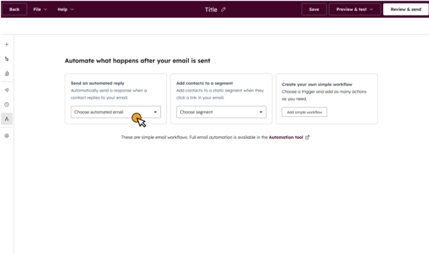
Marketing Email editor's Simple Workflows have been redesigned with out-of-the-box templates and fewer clicks to automate follow-ups.
- Workflow templates are available out-of-the-box, so you don't have to start from scratch.
- From the email editor, you can send automated follow-ups, enroll in sequences, and add to lists.
- With fewer clicks and a cleaner UI, email automation is more accessible for marketers of all skill levels.

Associate Content to Multiple Campaigns
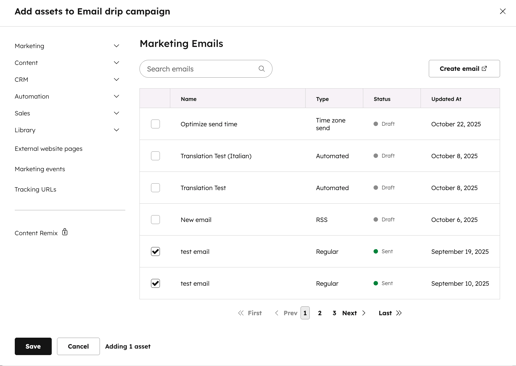
The ability to add website pages, blog posts, SMS, podcasts, videos, knowledge base articles, and case studies to more than one campaign has been added.
- Ensures that assets are not duplicated. It is possible to drive multiple campaigns with the same piece of content without copying it.
- Accurately attributes assets to campaigns.
- Displays asset performance across all initiatives for campaign managers.
TikTok Ad Conversion Events
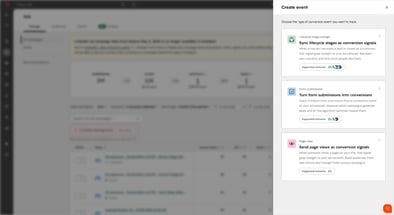
Using the Events API, TikTok can optimize campaigns for real business outcomes, not just clicks and views, by sending CRM conversion data back.
- Conversion events can be created in HubSpot based on lifecycle stage changes or form submissions.
- You can set a value per conversion event so TikTok prioritizes outreach to high-value leads.
- Send contact properties to improve audience match rates by configuring data sharing settings.
Access Marketing Data from ChatGPT
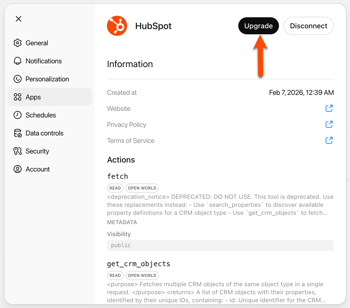
Data from marketing campaigns, blogs, landing pages, and team context can now be analyzed and planned using the HubSpot connector for ChatGPT.
- Identify trends and analyze campaign performance without leaving your AI workflow.
- Access live HubSpot campaign data, blog content, and team context in ChatGPT.
- Create content briefs based on HubSpot data and plan next steps.
Enroll to Prospecting Agent from Gmail & Outlook
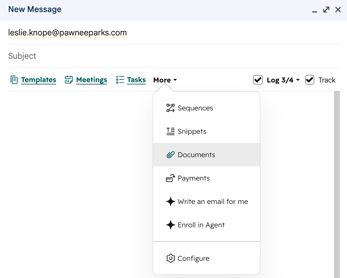
CRM contacts can now be enrolled directly into Breeze Prospecting Agent from Gmail or Outlook without switching to HubSpot.
- Prospecting sequences can be triggered directly from reps' inboxes with AI-powered automation.
- By enabling enrollment via Gmail or Outlook, sellers can reduce the amount of context switching they have to do.
- Available in Sales Hub Starter, Professional, and Enterprise.

Create Payment Records Without Payment Processing
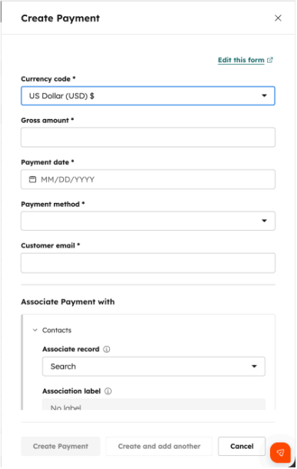
HubSpot now allows you to manually record external payments without enrolling in HubSpot or Stripe.
- Centralizes all payment activity in HubSpot. Payments processed externally are also accepted.
- Provides a bridge between CRM data and payment tracking for teams not using native payment systems.
- To get started, you do not need to enroll in HubSpot Payments or Stripe.

WhatsApp Coexistence
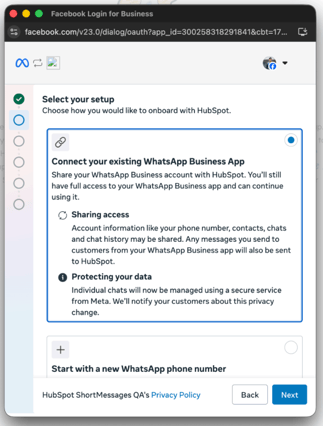
Customers can use WhatsApp Business and HubSpot inbox and help desk simultaneously on the same number with WhatsApp coexistence.
- Teams can use the WhatsApp Business mobile app alongside HubSpot without conflicts.
- Ensures HubSpot for WhatsApp is adopted by support teams by removing a key technical barrier.
- No need to choose between the WhatsApp app and HubSpot. They both work simultaneously.
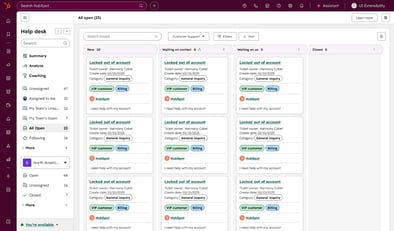
Help Desk Board Layout Redesign
With real-time ticket updates, customizable card properties, and bulk actions for fast-moving support teams, the Help Desk board now matches the CRM board experience.
- You can customize which properties appear on board cards per pipeline or per user individually.
- Bulk actions can be taken on multiple tickets at once, and board views can be sorted and filtered.
- Real-time ticket updates are reflected on the board without manual refresh.

Teams & Record Customization in Standard Sandboxes
Team-based record customizations from production are automatically copied to a new standard sandbox.
- Improves the usability of new sandbox environments by eliminating the need to recreate team structures manually.
- From the moment a sandbox is created, it will reflect your production setup.
- Applies to newly created sandboxes. No changes are made to existing sandboxes.
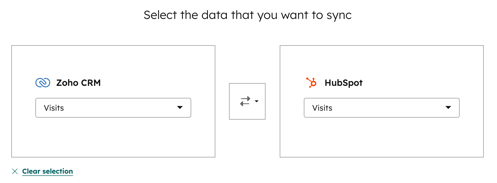
Objects Recommended for Data Sync: Spreadsheet Apps
By analyzing your table and column names from Airtable, Smartsheet, Kintone, Monday.com, or Notion, HubSpot recommends which HubSpot object to sync.
- AI-powered recommendations remove the guesswork from setting up data sync connections.
- Provides out-of-the-box support for Airtable, Smartsheet, Kintone, Monday.com, and Notion.
- Data sync requires super admin or partner admin access.
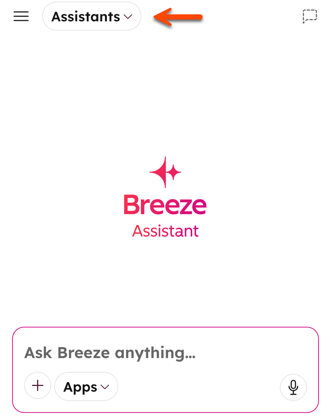
Breeze Assistant on Mobile: Meeting Prep & More
Prior to meetings, Breeze Assistant on HubSpot mobile surfaces meeting prep summaries, suggested talking points, and file upload support.
- Auto-surfaces company, contact, and deal summaries before your meetings on mobile.
- Reps can stay prepared wherever they are with suggested talking points, agendas, and risk flags.
- File uploads and suggested prompts bring full Breeze capabilities to the mobile app.
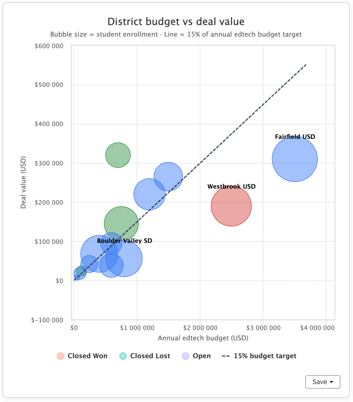
Advanced Data Visualizations in Breeze Assistant
Using natural language requests, Breeze can generate charts and graphs directly in the chat.
- Ask for a chart in plain language, and Breeze generates it on the fly with your CRM data.
- Supports multiple axes, data series, and annotations in a single visualization.
- Turns Breeze into an on-demand analytics co-pilot for any team.
Google Drive App for HubSpot
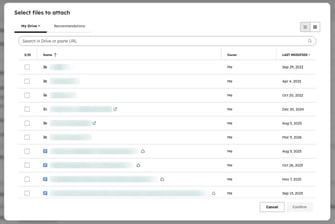
Connect Google Drive to HubSpot records to link files and folders, generate Breeze-powered document summaries, and automate file management.
- From the right-side panel of any HubSpot record, you can link files, folders, and shared drives.
- Easily create document overviews using Breeze's middle panel card (supports Docs, Slides, and PDFs).
- Create, link, and upload files automatically with workflows.