
January always sets the tone - and HubSpot’s first product updates of 2026 make it clear where the platform is heading this year.
As with every monthly release, not every change is headline-worthy, but several of this month’s updates meaningfully impact how teams manage data, automate processes, and scale revenue operations.

Below is our structured breakdown of what actually matters, what’s cosmetic, and what’s worth planning for in the coming months.
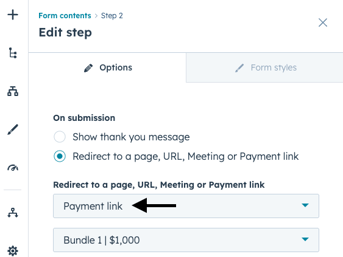
Payments in the New Forms Editor
Make it easy for visitors to complete forms and pay in one step with payment links embedded in the new Forms Editor.
- Use cases such as event registration, donations, or product purchases can be collected at form submission.
- If you have Content Hub Professional+ or Marketing, you can choose between simple redirects and conditional redirects.
- Form submission and payment data stay connected in HubSpot for easy tracking and reporting.

Help Desk Search Experience Updates
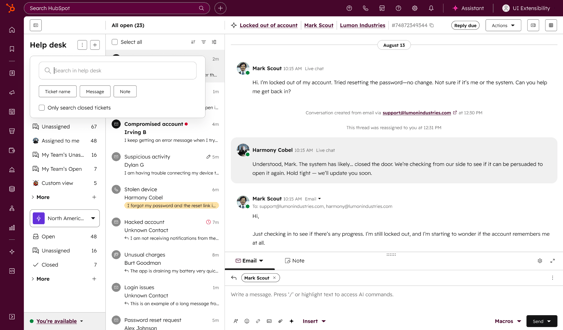
With an improved search experience in help desk, finding the right ticket is easier than ever.
- There is a new search popover that allows you to filter results so that they are more relevant.
- Add additional quick or advanced filters as needed.
- Gives you confidence in refining your search and understanding why results appear.

Unified Multi-Brand Data Privacy Request Forms
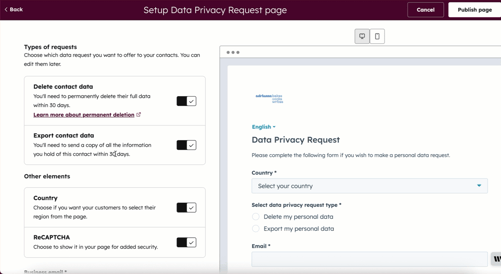
From one centralized HubSpot portal, organizations can now create and customize data privacy request forms for each of their brands.
- Build branded data privacy request forms that match each brand's visual identity.
- Filter, review, and manage incoming privacy requests by specific brand.
- Streamlines data privacy form management by consolidating multi-brand privacy forms into one area.
Note: Requires the Brands add-on.

Improving Zendesk to Help Desk Ticket Migration
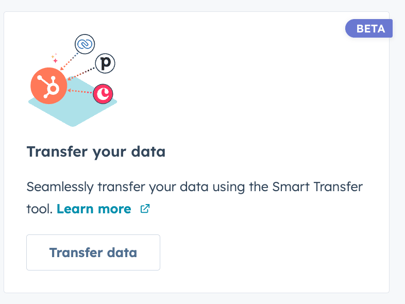
Smart Transfer allows teams migrating from Zendesk to bring over full historical conversations threads, not just tickets.
- The migrated conversations appear as native threads in Help Desk with all relationships intact.
- Maintain continuity by getting full visibility into past customer interactions.
Workflows for Reopening Tickets in Help Desk
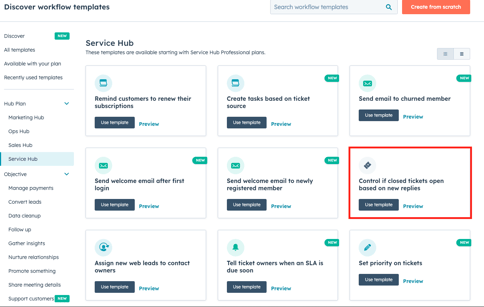
Ticket reopening can now be controlled by support teams when customers reply to closed tickets to improve reporting accuracy.
- Previously any reply to a closed ticket would automatically re-open it. With the new workflow solution, you can set time-based rules for reopening tickets.
- Service Hub templates now include a workflow template to assist you in automating this process.
New Company News Signals for Buyer Intent
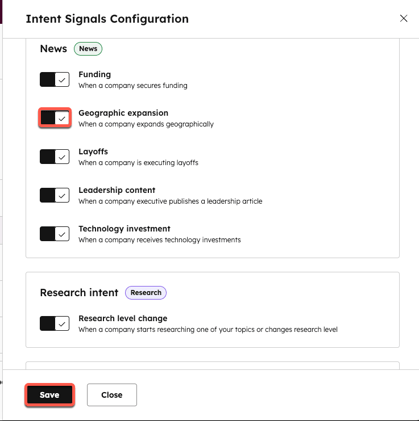
The new Company News signals now surface key milestones for your tracked accounts, including executive hires, strategic partnerships, and mergers and acquisitions.
- In workflows, list filters, and scoring models, signals appear as events on company record timelines.
- Targeted outreach based on real company activity helps your team engage at the right time.
Create Contacts from the HubSpot Chrome Extension
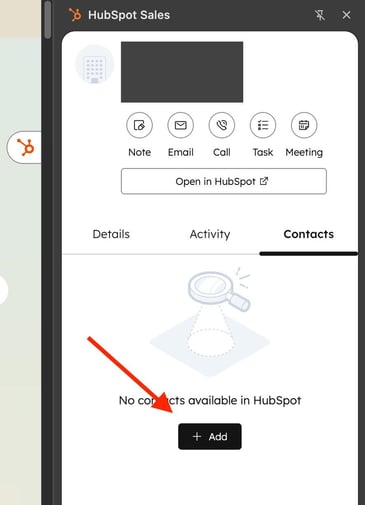
The HubSpot Chrome extension lets you create contacts directly on a company's website and automatically associate them with that company.
- You won't have to switch between tabs or manually link records to keep prospecting momentum going.
- Find existing contacts or create new ones without leaving the page you're on.
- Data from all relationships is automatically connected, reducing the amount of manual work and data entry errors.
Fully Customizable Index Page Quick Filters
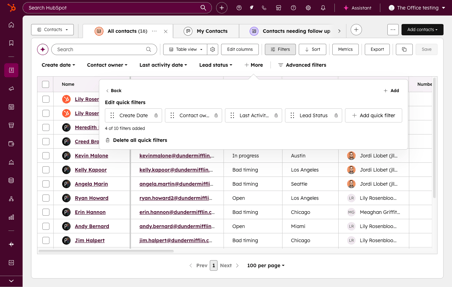
The quick filters on your index pages can now be customized. Filters can be added based on any property, defaults can be removed and reordered according to your workflow.
- Drag and drop to reorder filters, making it faster to take action on the records you care about.
- Using saved views, you can maintain your quick filter settings for a consistent user experience.
New Email Property: Sequence ID
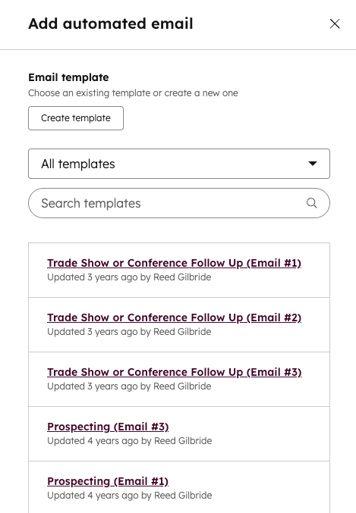
The Sequence ID property on email objects allows you to identify whether a one-to-one email was sent as part of a sequence.
- Emails can be filtered and reported more accurately based on their sequence association.
- Allows you to track sequence-driven activity from other one-to-one emails.
- The new email property can be filtered or analyzed in the Emails index page or the report builder.
Restore Property Edits for Bulk Changes
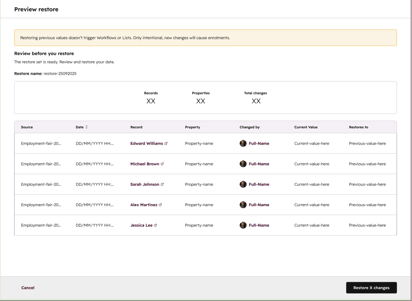
Ensures data integrity by restoring changes made by workflows or imports in bulk.
- By filtering by source, property type, and date, you can find exactly what you are looking for.
- Ensure you're reverting the right data by previewing changes before applying them
- You won't need to re-enrol restored records in workflows or lists, so your automation will remain stable.
Form submissions on the Company Record
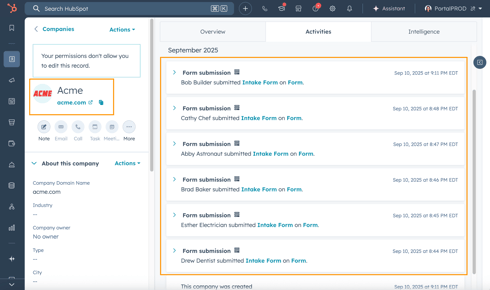
Easily view all submissions from associated contacts directly on the company record timeline.
- Evaluate interest across an organization by identifying all stakeholders engaging with your content.
- Submissions automatically roll up based on your existing contact-company associations in the CRM
- Under Contact Activity, you can quickly surface form submissions using the activity filter.

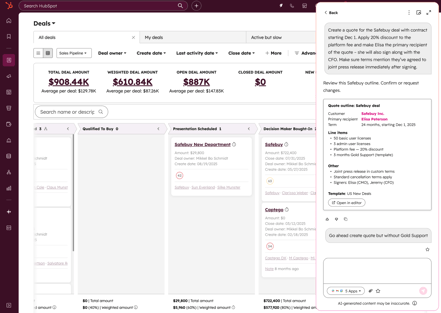
Create Quotes with Breeze Assistant
Using AI, Breeze Assistant can now generate quotes from anywhere in HubSpot, keeping you focused on the deal.
- You can create quotes while they're on your mind without having to leave where you're working, so you can remain focused.
- Be sure to preview the quote outline before creating it so that you can make any necessary adjustments.
- Breeze will create a better quote if you provide more details.

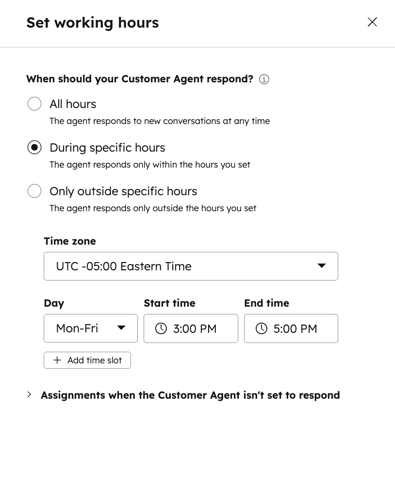
Set Working Hours for Customer Agent
With custom working hours for each channel, you can control exactly when Customer Agents respond to customers.
- Implement Customer Agent gradually by limiting its use to specific times.
- You can extend your support coverage after hours without increasing your team's workload during the day by using "Out of Office Only" mode.
- Channel schedules can be configured for all hours, specific hours, or outside of specific hours.
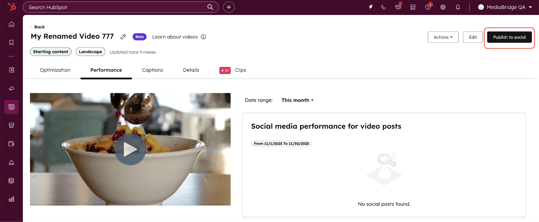
Scale Video Content Production with the Descript App for HubSpot
The new app connects Descript’s AI-powered video editing with your HubSpot marketing platform.
- Sync videos between Descript and HubSpot without downloading or managing files manually.
- Measure video performance across channels and prove ROI with automated video engagement tracking in your CRM.
- Turn one recording into clips for social, email, landing pages, and blog posts to get more from every piece of content.
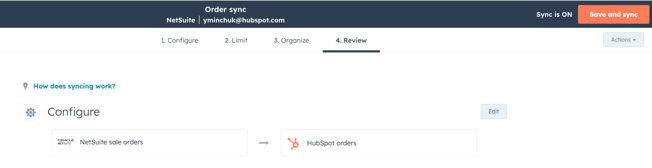
HubSpot Deal to Order Association with NetSuite Sales Orders
During order creation or through workflows, automatically creates associations between HubSpot deals and Netsuite sales orders.
- Unifies your sales data across HubSpot and Netsuite, giving your team a more reliable source of truth.
- Automates repetitive administrative tasks and minimizes human error.
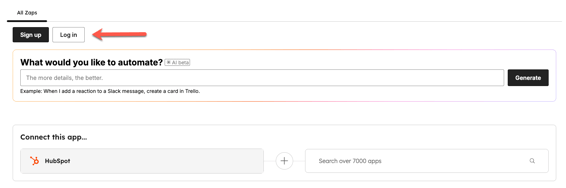
Zapier Integration: Expanded CRM Objects Support
With the Zapier integration, you can automate workflows across HubSpot data using 16 additional CRM objects.
- Build automations with objects that matter to your business, such as Carts, Commerce Payments, Deal Registrations, and more.
- You can trigger actions based on recent records created or updated, in addition to all the usual actions.