This month’s update release by HubSpot brings a few exciting features: From multiple Knowledge Bases to Campaign templates, HubSpot continues to improve their customers' systems management and provide excellent user experience.
As usual, we deliver to you what we think are the most valuable tweaks after thoroughly reviewing the full report.
Enjoy!
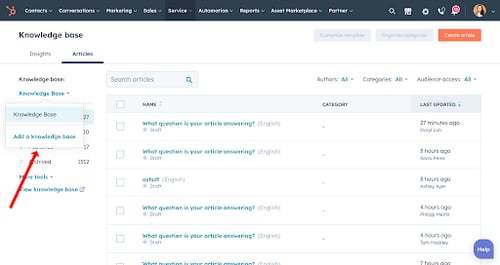
Multiple Knowledge Bases
HubSpot previously only allowed one knowledge base per account, But different audiences require different solutions - whether they have multiple products/brands, or they need other services. It can be difficult to find answers if they are all in one place, which leads to customer confusion and unnecessary customer support.
With this awesome update, Service Hub Enterprise accounts can now host multiple knowledge bases (up to 5) with distinct branding and content, allowing articles to be tailored to specific customer segments and needs.

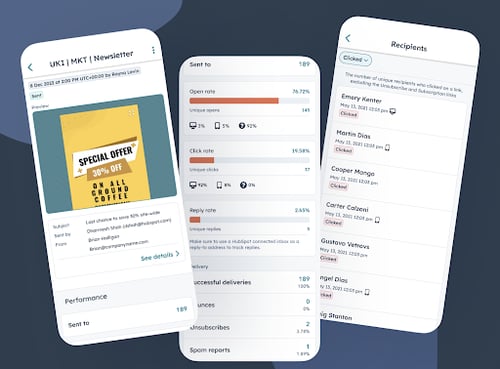
Marketing Email on Mobile
You can filter, sort, and search all your marketing emails in one place
Delete an email and send a test email from the app Marketing Email on the app gives
marketers a cross-platform communication experience that they can manage and control.

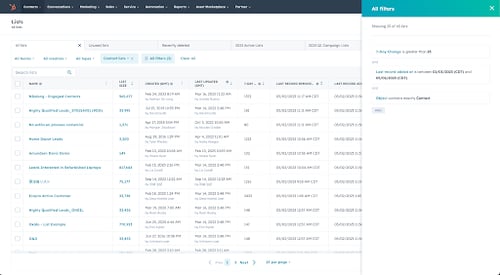
Saved Views & New Filterable Properties in Lists
Managing your lists more effectively has been made easier with three major changes.
Create Saved Views to help you view and access only a subsection of your most important lists. Also, these can be exported!
New properties are available to help you find critical lists. These include 7-day change, Last Record Added At, and Last Record Removed At. The Recently Deleted Lists section was updated to include lists that haven’t had a new member join in the last 60 days.
Your team will be able to see and share only the lists they care about. For example, you could create a new view for you and your team that shows only Lists with a name that contains ‘2023’, list size > 1000, and that has grown by more than 100 members in the last 7 days.
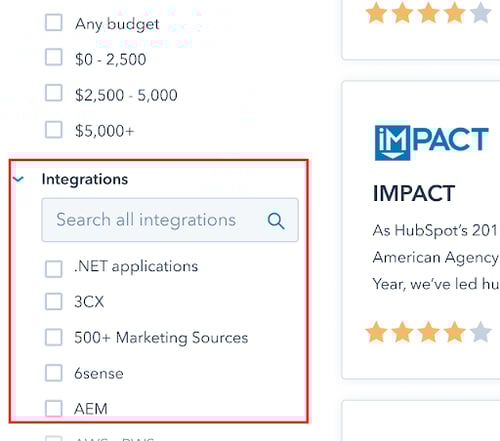
Solutions Directory - Integrations Filter
The Solutions Directory has been updated to include an "Integrations" filter. It can be used to filter search results to show partners who have expertise in the selected integrations.
Customers and prospects using HubSpot can find partners who have experience with certain integrations they had in their previous CRM or integrations that can help them grow their business through the directory.
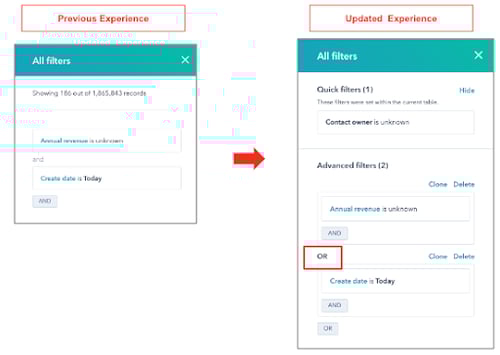
“OR” Filtering on Index Pages
On the Index pages, you can now segment your data using 'OR' filters instead of just 'AND'. 'Quick filters' will now appear separately in the 'All Filters' panel to make it easier for you to separate them from the more complex view filters in the 'Advanced filters' section.
You can still add or delete quick filters, and you can hide them from the filter side panel to make more room for your advanced filters. To more powerfully segment your data for Views, users can filter index pages using "OR" conditions (previously only "AND" conditions were allowed).
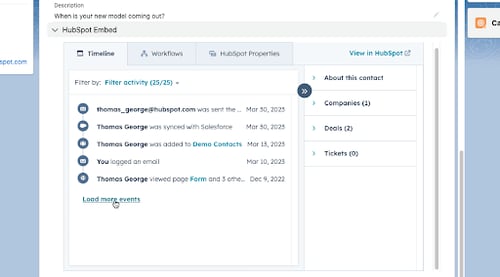
New HubSpot Embed for Salesforce
With HubSpot's Salesforce integration, users can now view their data within Salesforce with a new HubSpot embed. Users will be able to access timeline insights, contact and company insights, and property history with the new embed.
This feature can now be added to various types of Salesforce records, including leads, contacts, accounts, and opportunities, in addition to existing automation and target accounts capabilities.
HubSpot's timeline, association, and automation capabilities are now available from within Salesforce, so sales teams can leverage all HubSpot's features.

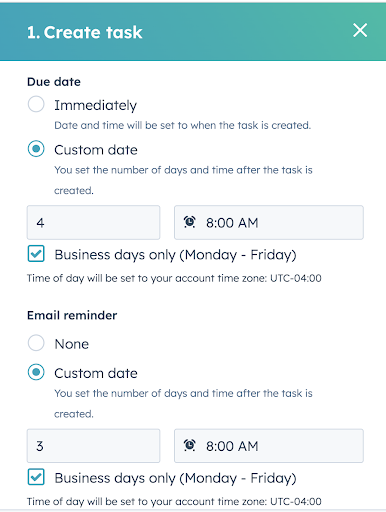
Set Task Due Date to Count Business Days in Workflows
When creating workflows, you can now set the due date and the reminder date to only count business days. All customers with Workflow access can use this feature. Previously, you could have created a task in workflows that was due on a weekend if you configured the due and reminder dates. It may be necessary to update due dates manually or miss due dates if you manage your workload in HubSpot this way.
The goal of workflows should be to minimize manual work, not to increase it. With this release, we are bringing workflow functionality closer to the tasks product's functionality and improving day-to-day processes.

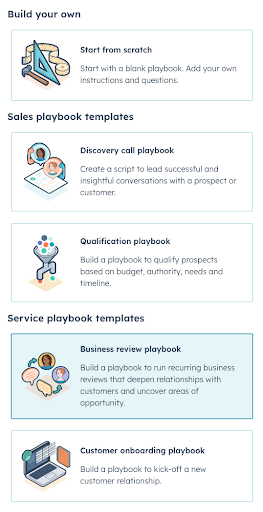
Service Playbook Templates
2 new service playbook templates for supporting customer service. Available in Sales and Service Hub+ portals:
1. Business Review Playbook: Used by Customer Success teams and designed to capture structured notes and critical data during regular customer interactions
2. Customer Onboarding Playbook: A guide to help customer service reps handle their first call with newly acquired customers
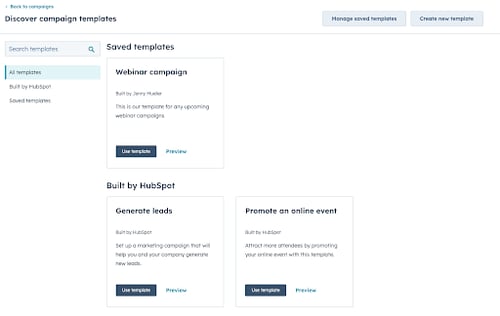
Create Your Own Campaign Template and Save to Your New Campaign Template Library
Create your own campaign templates and save them to your new campaign template library.
The campaign creation and management process can be sped up so that you can focus on optimizing the campaign performance and more.
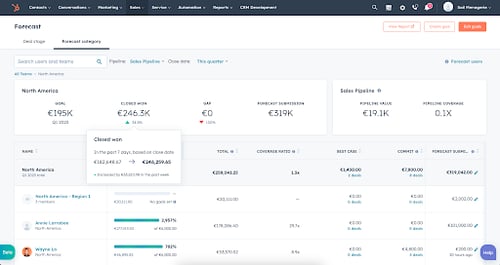
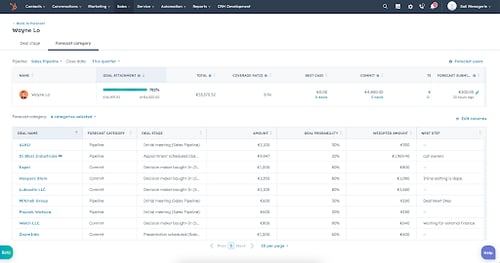
Forecast Insights Data Well
Customers struggle to gain a quick understanding of where they will land in Forecast. The current app doesn't do a good job highlighting important data (and how it changes over time) for managers, for example, so they can’t answer important questions such as "will my team meet their goals".
Forecast insight data makes it easier to keep an eye on forecast and pipeline trends throughout each quarter. It focuses on what matters to see how your revenue is trending against your sales targets for the month, quarter or year.